
Features
Everything your wedding website does
An envelope or keepsake that opens, four pages for your guests, RSVP with your own questions and an editing panel for your phone. And a plain list of what is not included, so you know before you buy.
Last updated
Opening
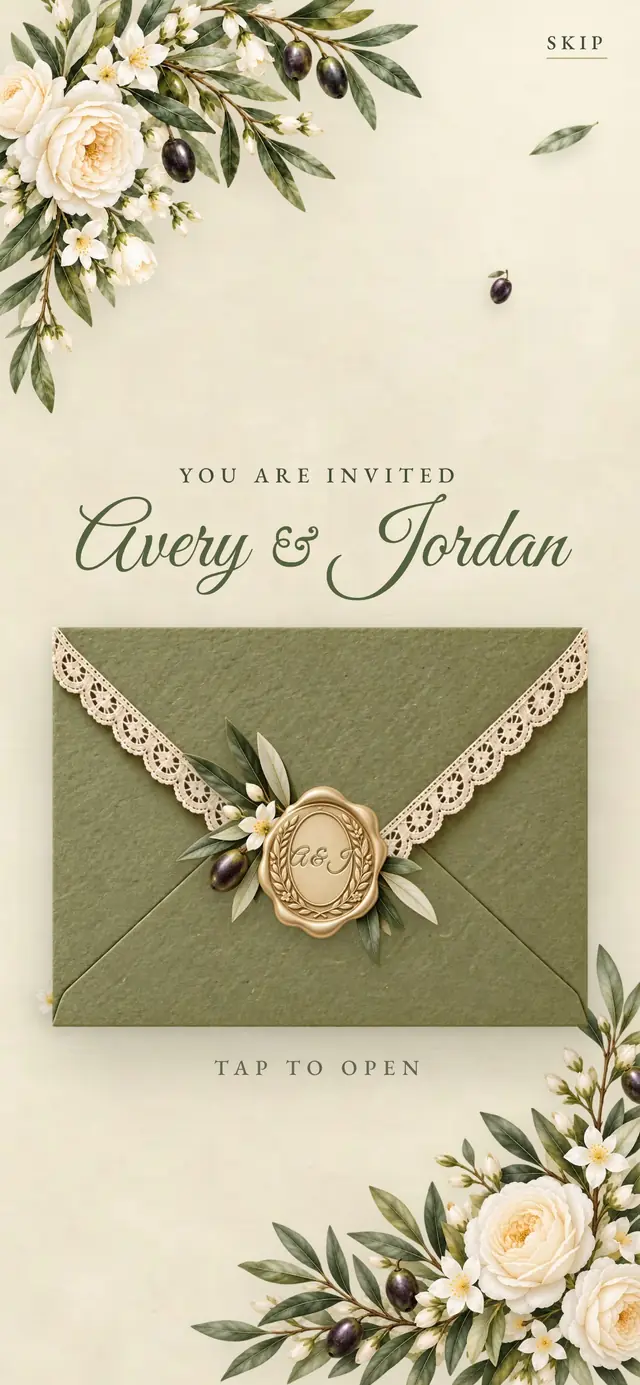
A sealed envelope or keepsake that opens
- Your link opens on a sealed envelope with your names (in some designs a gatefold, pouch, wallet, storybook or sleeve)
- A tap plays the opening in the order of the design: bow, seal, flap or cover, card
- The card becomes the first screen of your home page
- A Skip link for guests in a hurry; with reduced motion on, a tap goes straight to the home page
For your guests
Four pages with everything guests look for
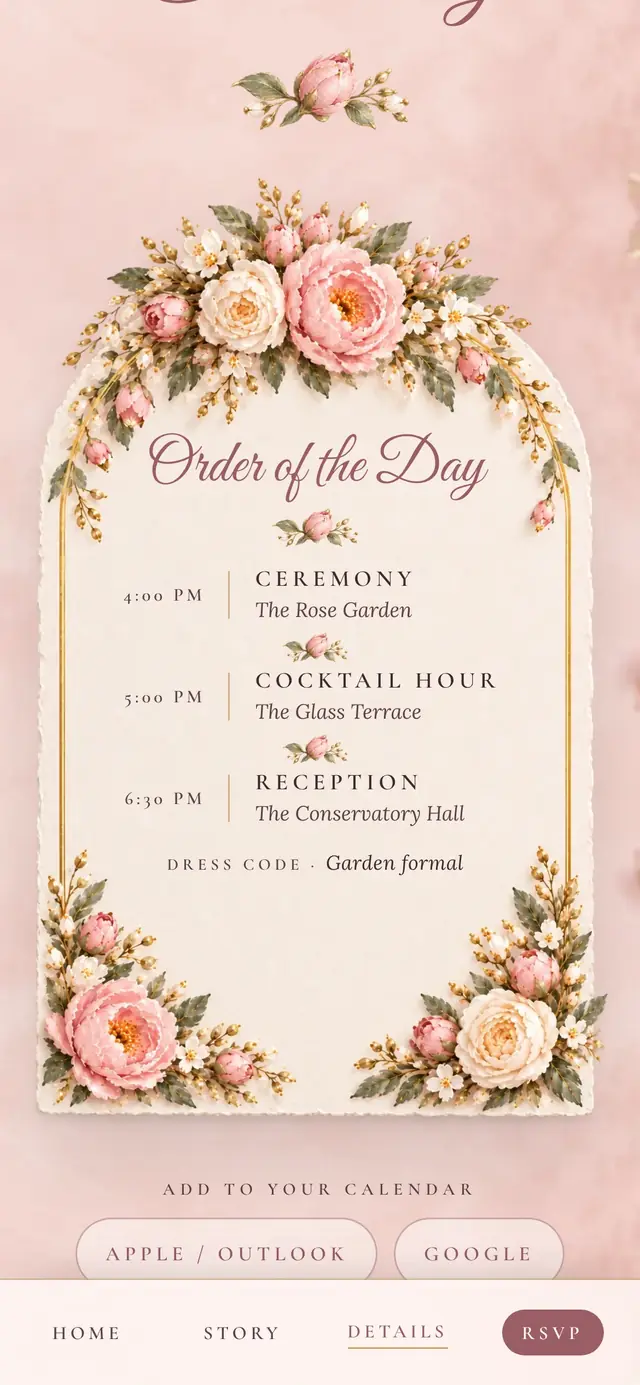
- Home, Our Story, Details and RSVP, with a simple menu between them
- Add to calendar: Apple/Outlook (.ics) and Google Calendar
- Venue with a map link, the order of the day, dress code
- Travel and stay and registry links, as buttons
- Questions and answers (up to 12)
- An optional live countdown to the day
- A map of your venue and directions with Google Maps, Apple Maps or Waze
- Music on your Our Story page (one of four tracks made for your website, or your own file) and sound effects; you can turn each off
- Your website in English, Spanish, French, German or Turkish, or in several: built-in texts come translated, and your own texts can be translated automatically as a draft you check
RSVP
Replies that land in one place
- Guests reply with their name, coming or not, party size and a note; no account needed
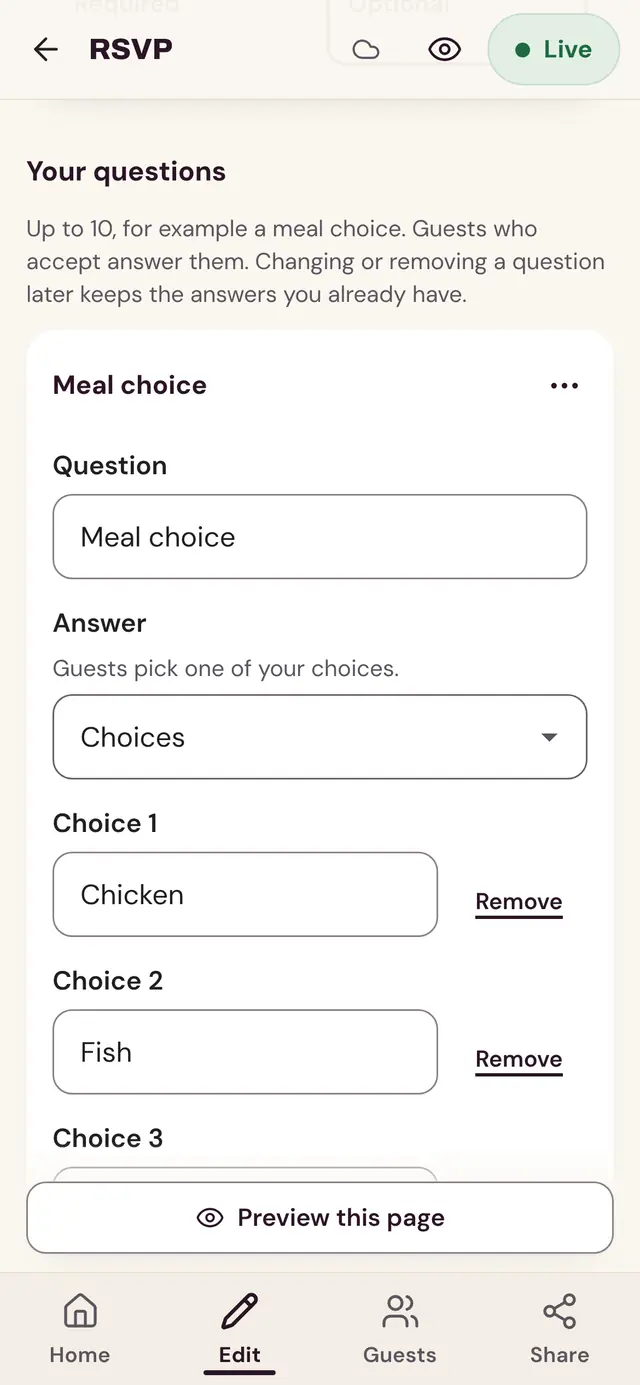
- Up to 10 questions of your own: multiple choice (up to 8 options), yes or no, a number or a written answer, each required or optional
- Questions are shown only to guests who are coming
- A reply-by date: the form closes on its own after it, and you can also close it yourself
- Every reply and the totals in your panel, and an Excel or CSV download for spreadsheets
Editing
A panel designed for phone screens
- Your Etsy order number and email open your editor on any phone or computer: no account, no password
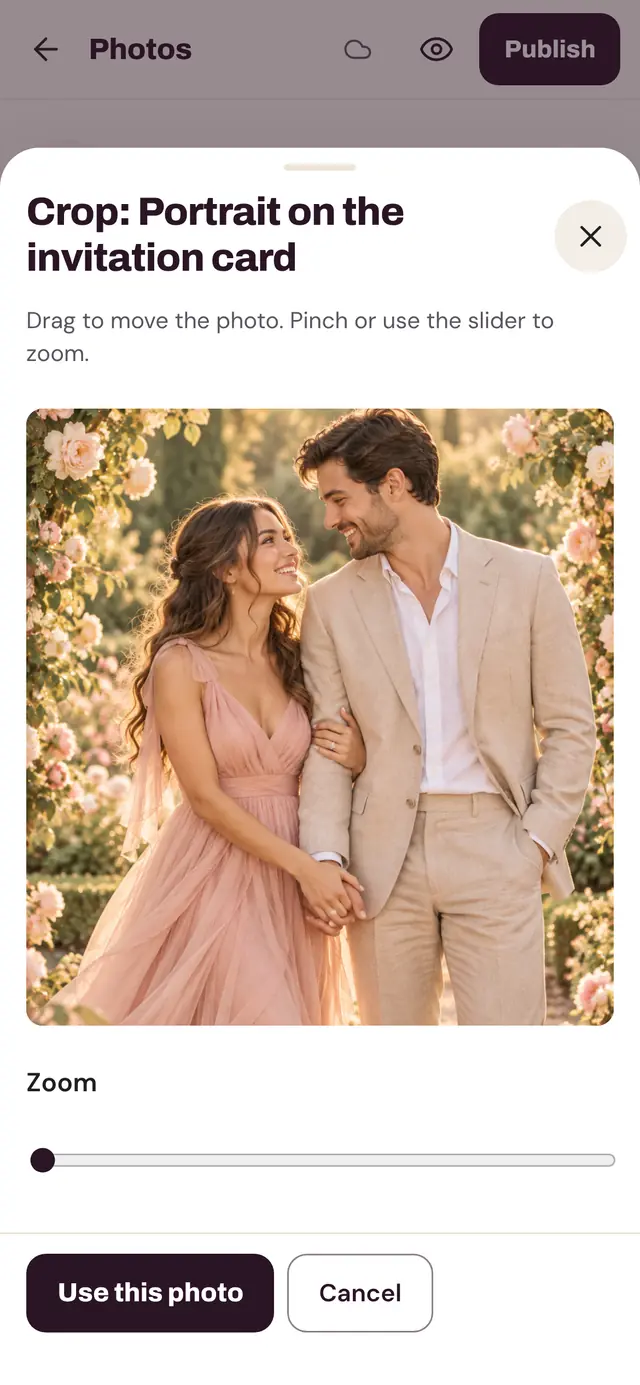
- Changes save on their own; preview any page before you publish
- 5 photos, each cropped to its frame on your phone
- Switch optional sections on or off: Our Story, countdown, dress code, registry, travel and stay, questions and answers
- Publish and unpublish whenever you like
- After you publish, you get 3 changes in total to your names, monogram and date; several at once count as one. Free any time: small typo fixes (up to 2 letters in a name), adding a surname, and moving the date up to 7 days.
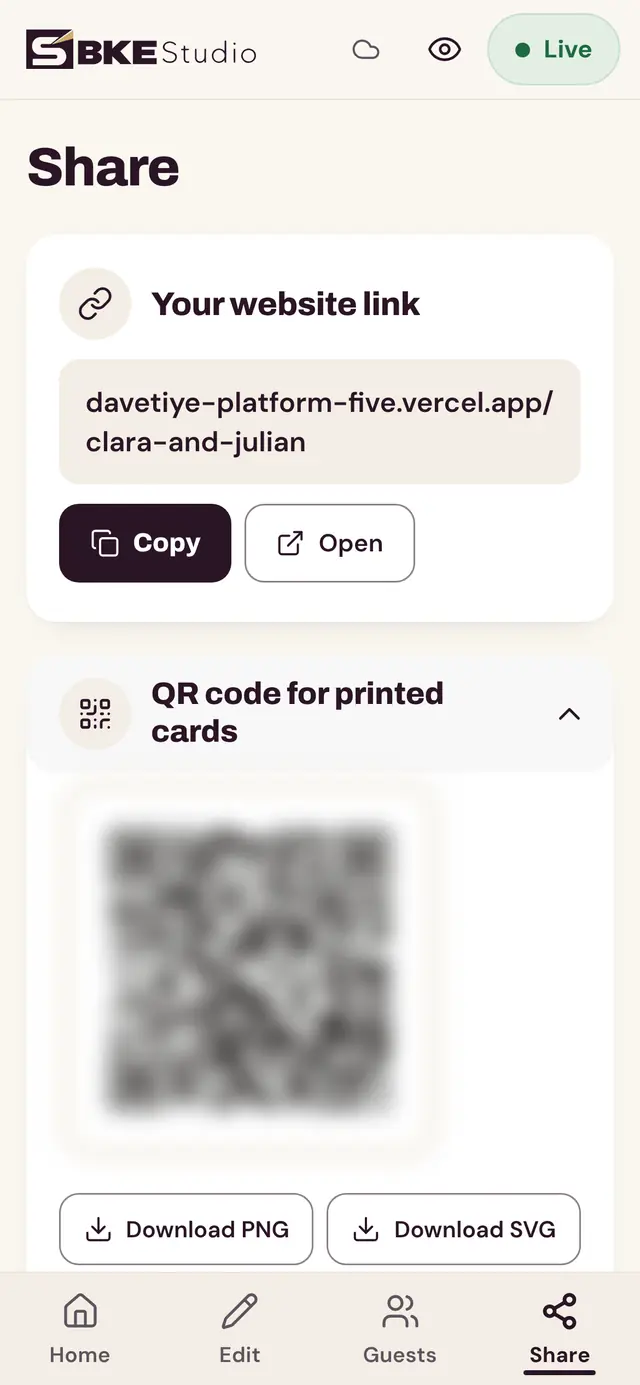
Sharing
A link that looks personal when you send it
- Your address is your names on our domain
- Link previews in messaging apps show your names and wedding date
- A QR code to download as PNG or SVG, for printed cards
- Downloads: your website as a PDF, and a printable invitation in your design (5 × 7 in or A5, with bleed and crop marks for a print shop)
Privacy
Your guests’ replies stay yours
- Only you see the replies, in your private panel
- We do not sell or share guest information
- Photos of an unpublished website are not shown to anyone
- No ads or analytics on your wedding website; its only cookie remembers a guest’s password when you turn one on
Not included
Said plainly, so you can decide before you buy.
- A custom domain (your address is on our domain)
- Changing the colors, fonts or layout of a design
- Sending invitations to guests by email
- Guest list import
- Built-in texts in languages other than English, Spanish, French, German and Turkish (your own texts can be in any language)
- Printing and shipping: you print the printable invitation yourself or at a print shop
- A matching save the date (not yet)
Compared with a Canva template
Many wedding website templates on Etsy are Canva templates. Both are good choices for different people; this is the difference. Read the full comparison.
| Topic | Canva template (typical Etsy listing) | BKE Studio |
|---|---|---|
| Where you edit | The Canva editor | A simple panel designed for phone screens |
| Account needed | A Canva account | None: your Etsy order number and email open your editor |
| RSVP | A separate form tool, set up by you | Built in; replies and an Excel download in your panel |
| Your link | Canva's free site address (custom domain on a paid Canva plan) | xn--bkestudo-zkb.com/your-names |
| Changing the design | Full freedom to move and restyle everything | The design stays as made; you change the content and the wording |