
From Etsy order to wedding website
How it works
You choose a design, buy it once on Etsy, and start your website with your order number. Then you edit it from your phone, share the link, and your guests reply online. Here is each step, with the real screens.
Last updated
Step 1 · A few minutes
Choose a design and try its live demo
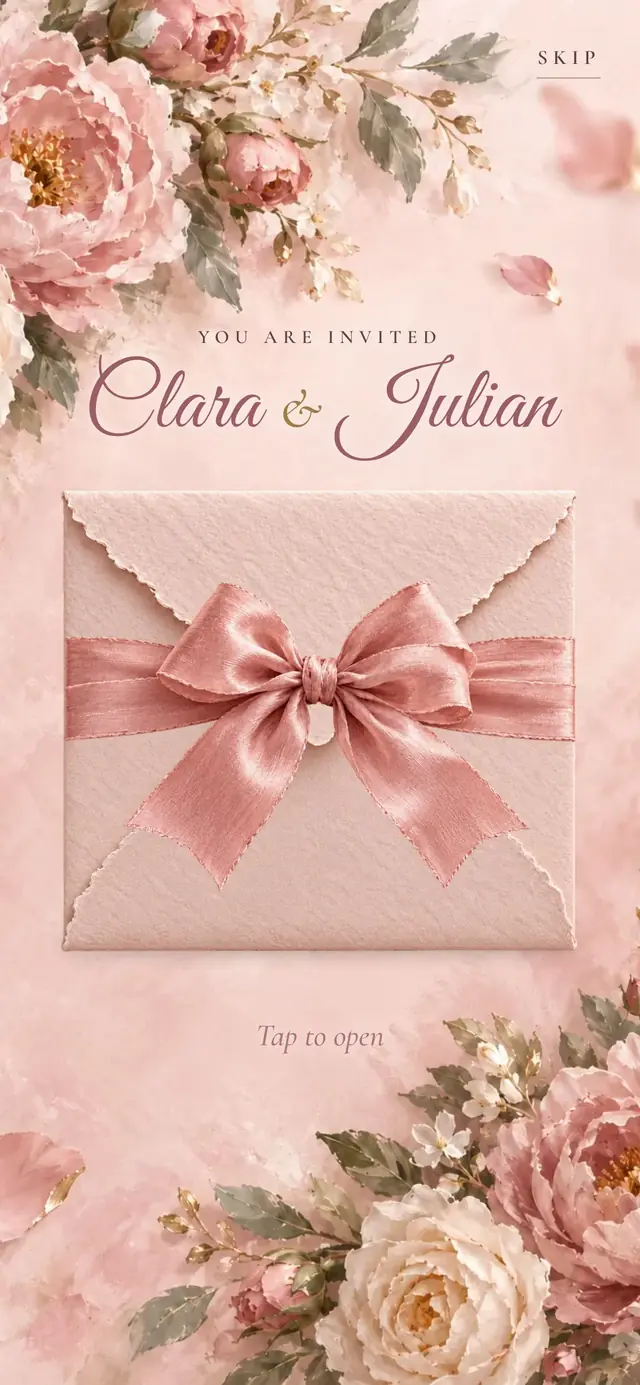
Open any design on your phone and tap to open it. The demo is the real website with fictional names, so you see exactly what guests will see. Browse the designs.
Step 2 · One payment
Buy it on Etsy
Tap Buy on Etsy on the design page. Etsy handles the payment, and your download opens as soon as the payment goes through. Inside it is a short PDF with the link to start your website.
Step 3 · A few minutes
Start your website
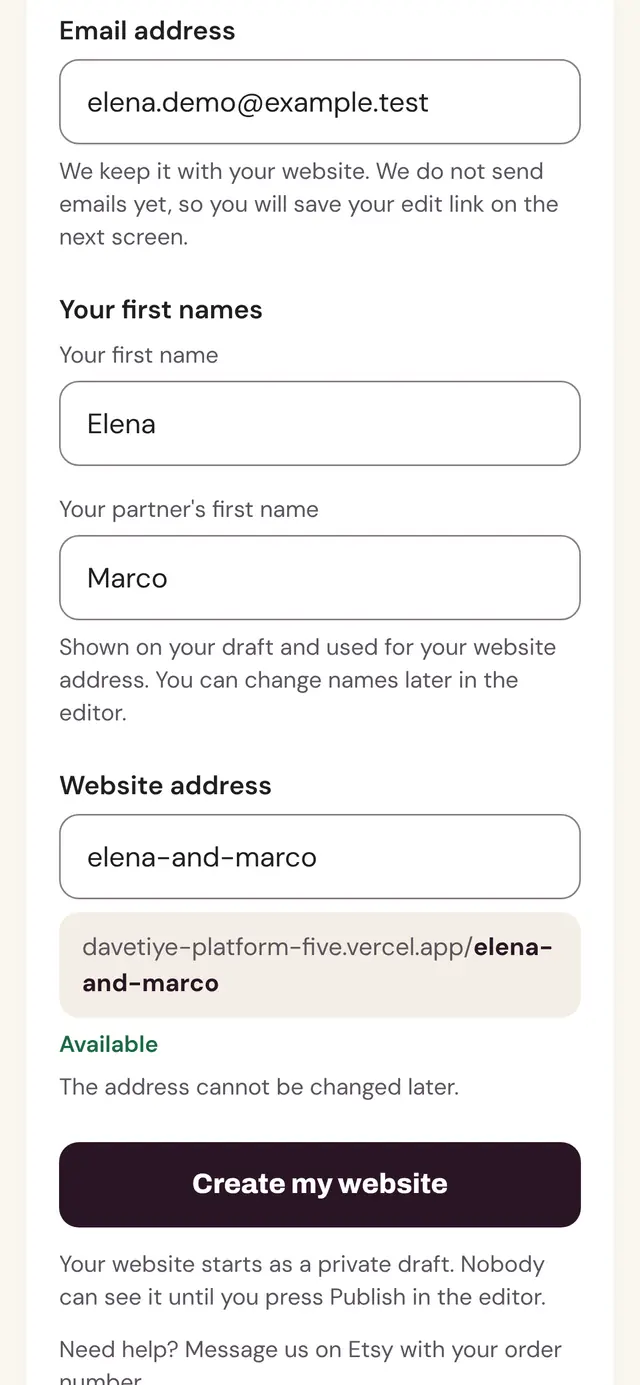
Open the link from your PDF. Enter your Etsy order number, your email and your first names, and choose your web address. Your draft website is created in the design you bought. One order starts one website.
Step 4 · As long as you like
Edit, preview and publish
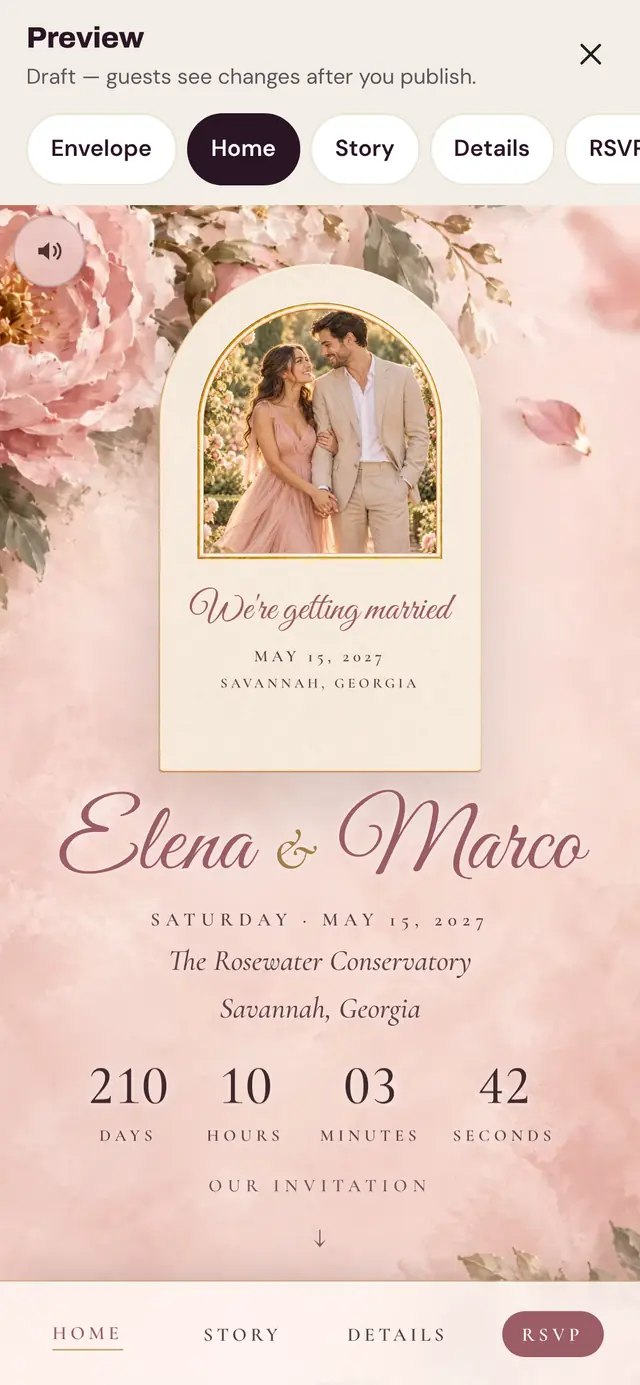
In your panel, fill in your names, date, venue, the order of the day (up to 10 rows), your story, 5 photos and your RSVP questions. Changes save on their own. Preview any page, then publish when you are ready.
After you publish, you get 3 changes in total to your names, monogram and date; several at once count as one. Free any time: small typo fixes (up to 2 letters in a name), adding a surname, and moving the date up to 7 days. Everything else (time, venue, schedule, story, photos, details and replies) you can change as often as you like.
Step 5 · Whenever you are ready
Share your link or QR code
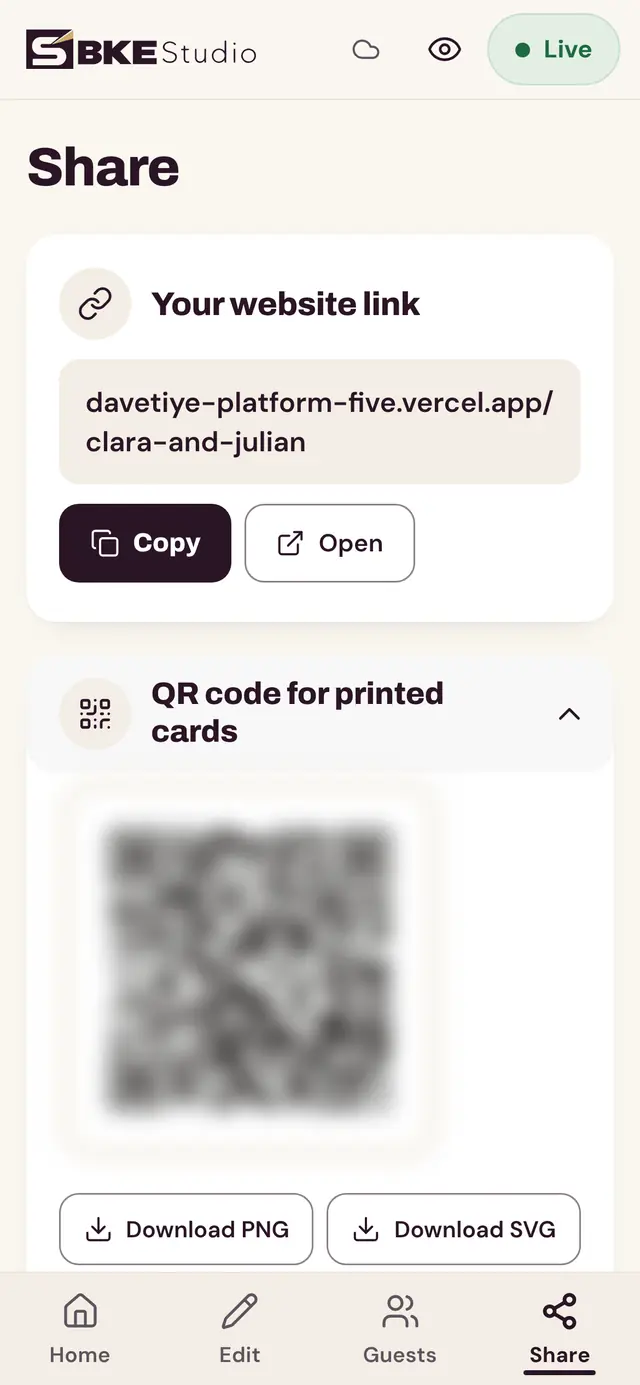
Copy your link and send it by text, WhatsApp or email; most apps show a preview with your names and date. Or download your QR code (PNG or SVG) for printed cards. When to share it.
Step 6 · Until your reply-by date
Guests reply; you see every answer
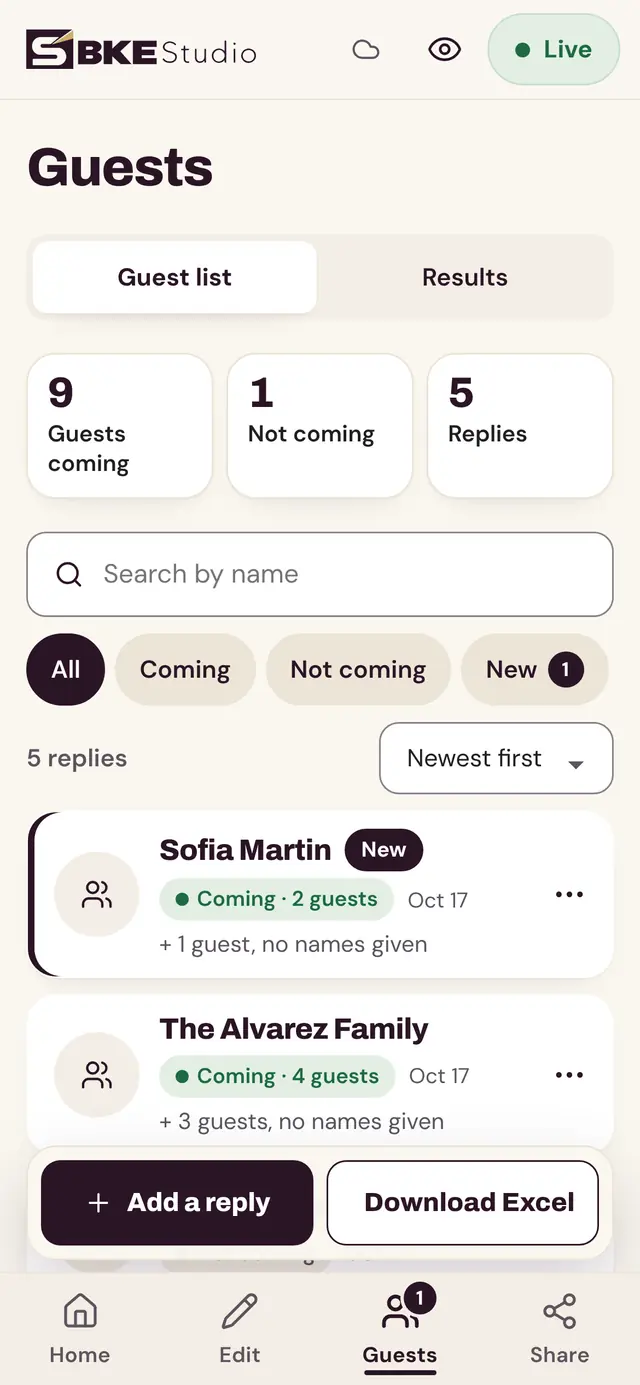
Guests reply on your RSVP page. You see each reply and the totals in your panel and can download them as an Excel file. The form closes on its own after your reply-by date. More about RSVP.
What you need
- A phone or a computer with a web browser
- Your Etsy order number (in your Etsy order confirmation)
- Your wedding details: date, time, venue and reply-by date
- Photos, if you want them (optional)
After the wedding
Your website stays online until 12 months after your wedding date, so guests can come back to it. After that your website closes for guests; you can still see your content and download your replies. Need it online longer? Message us on Etsy before your “Online until” date and we can extend it.
Already bought a design? Start your website.